Every booking in one place.
Nothing forgotten.
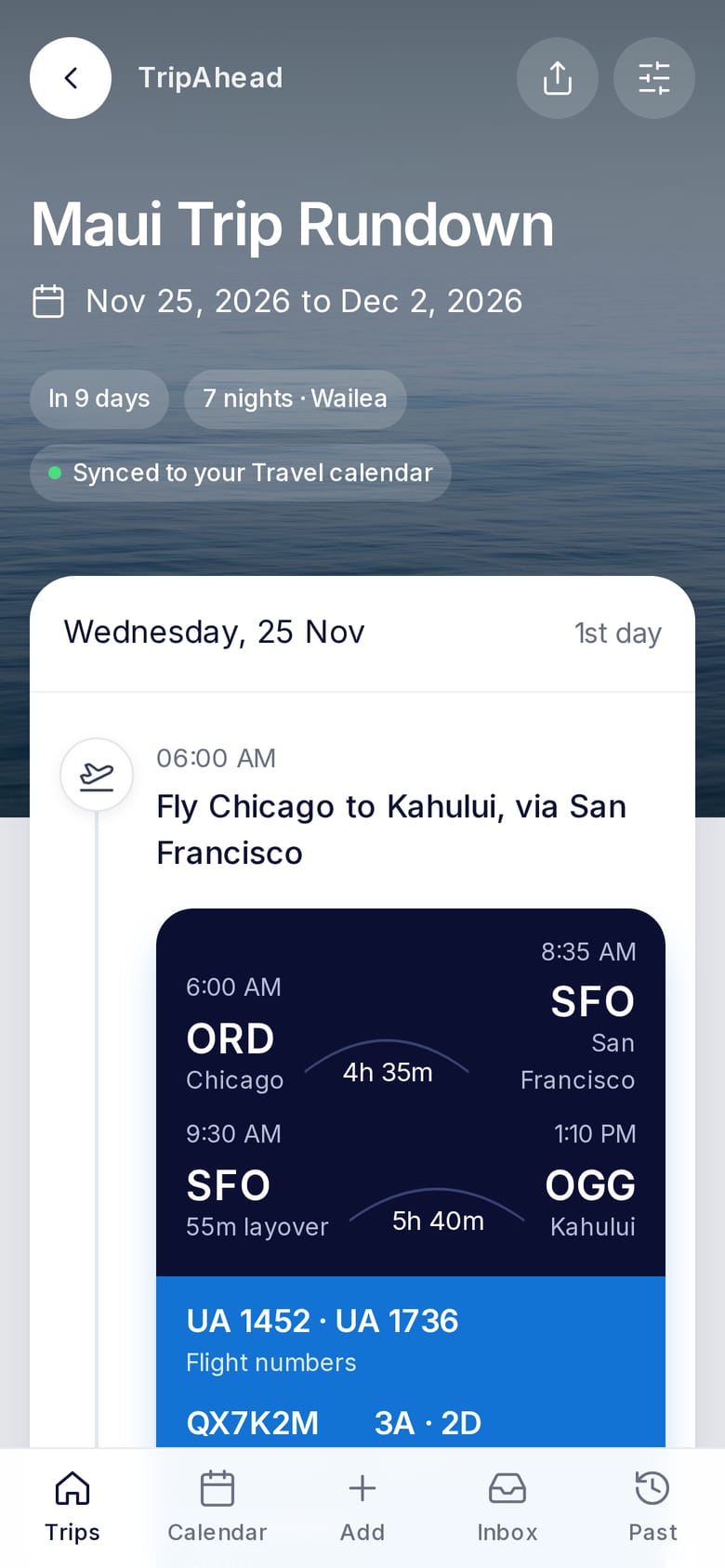
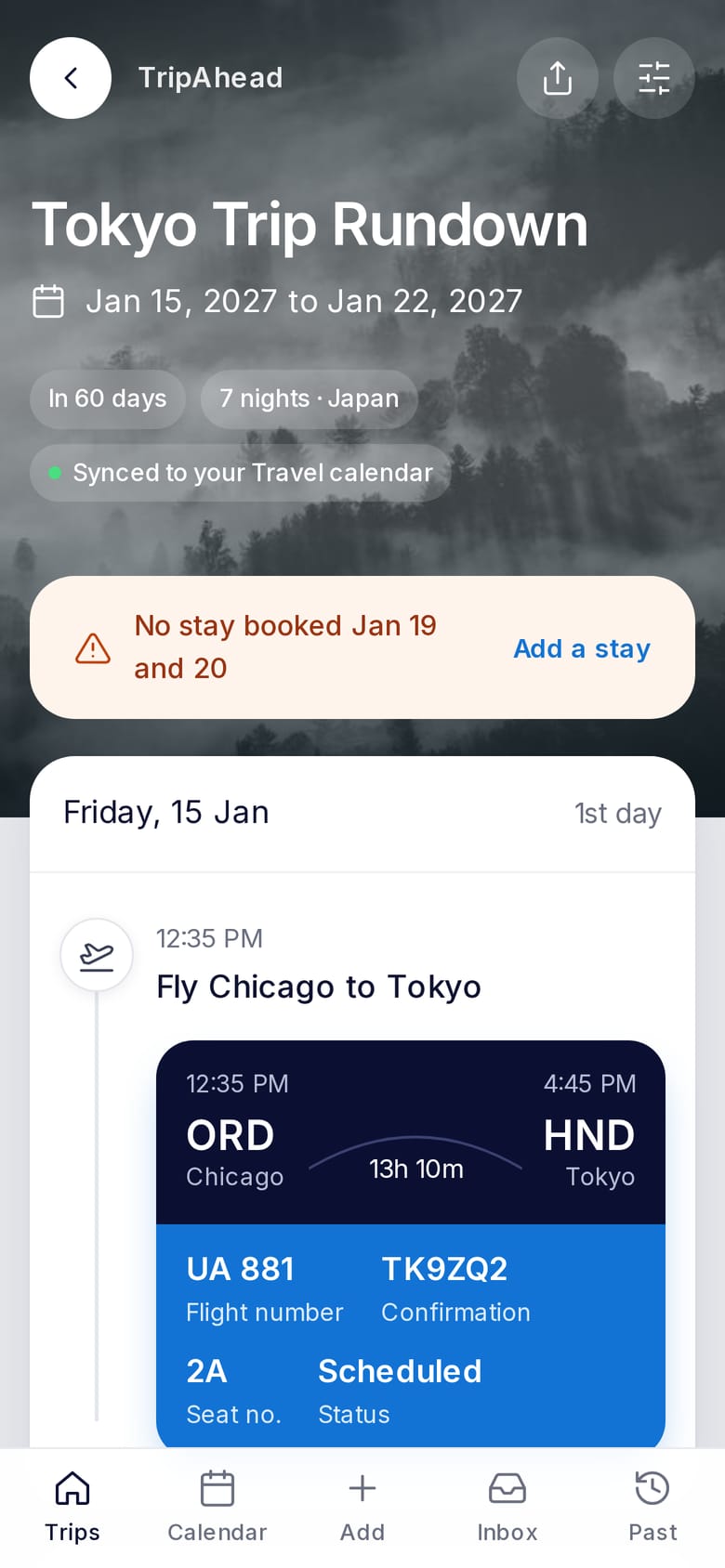
Flights, hotels, rental cars and more. Forward your booking confirmations to TripAhead. We put each trip on a day-by-day timeline and flag anything you forgot to book.
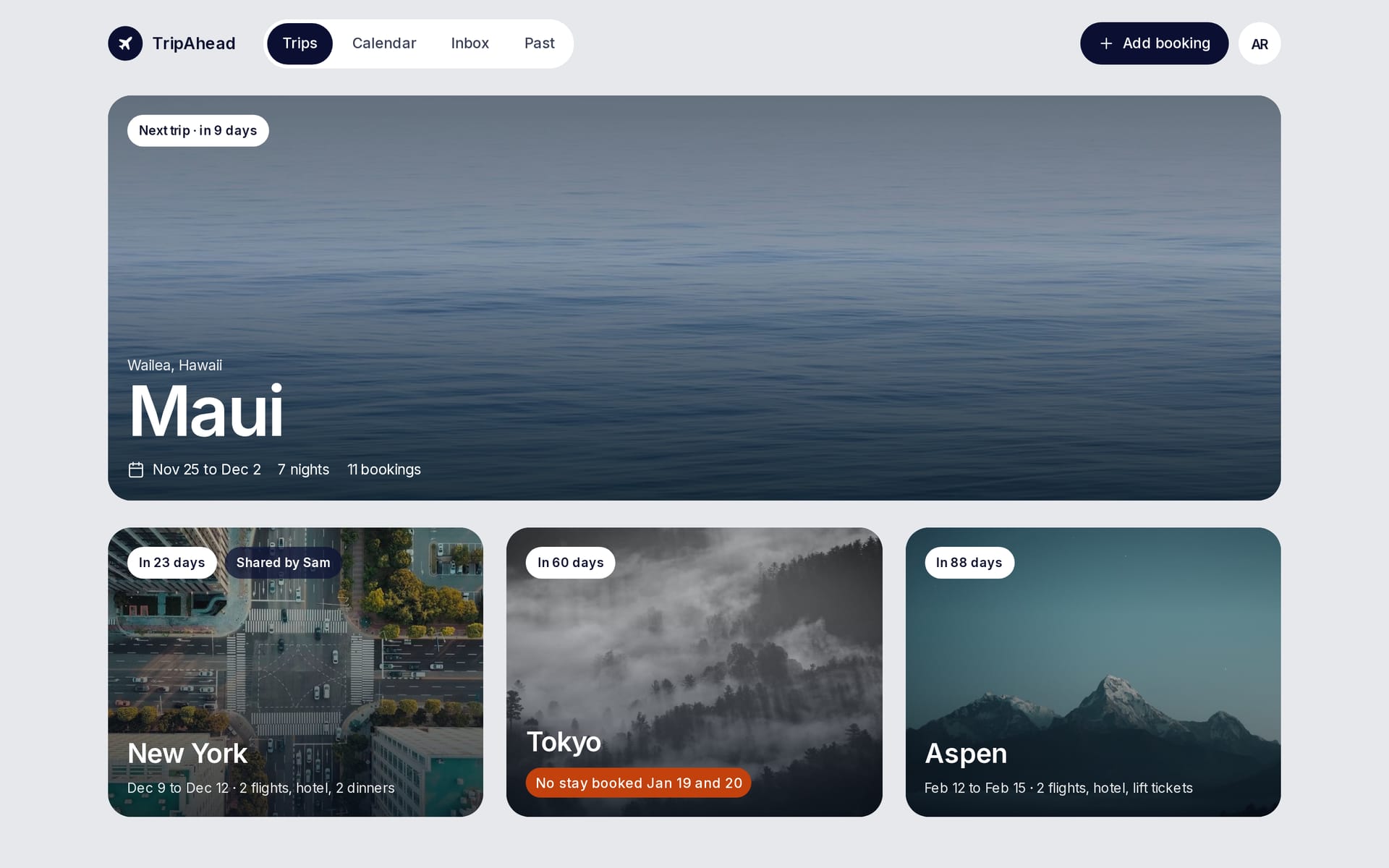
No more “wait, did we book that?”
Forward the confirmation
Forward your flight, hotel, car and restaurant booking confirmations to TripAhead.
It lands in the right trip
TripAhead automatically reads the details, files them into the trip they belong to, and starts a new trip when it’s somewhere new.
It’s on your calendar
Connect Google Calendar and your trips appear on a “Travel” calendar, with time zones, check-in times and confirmation numbers.
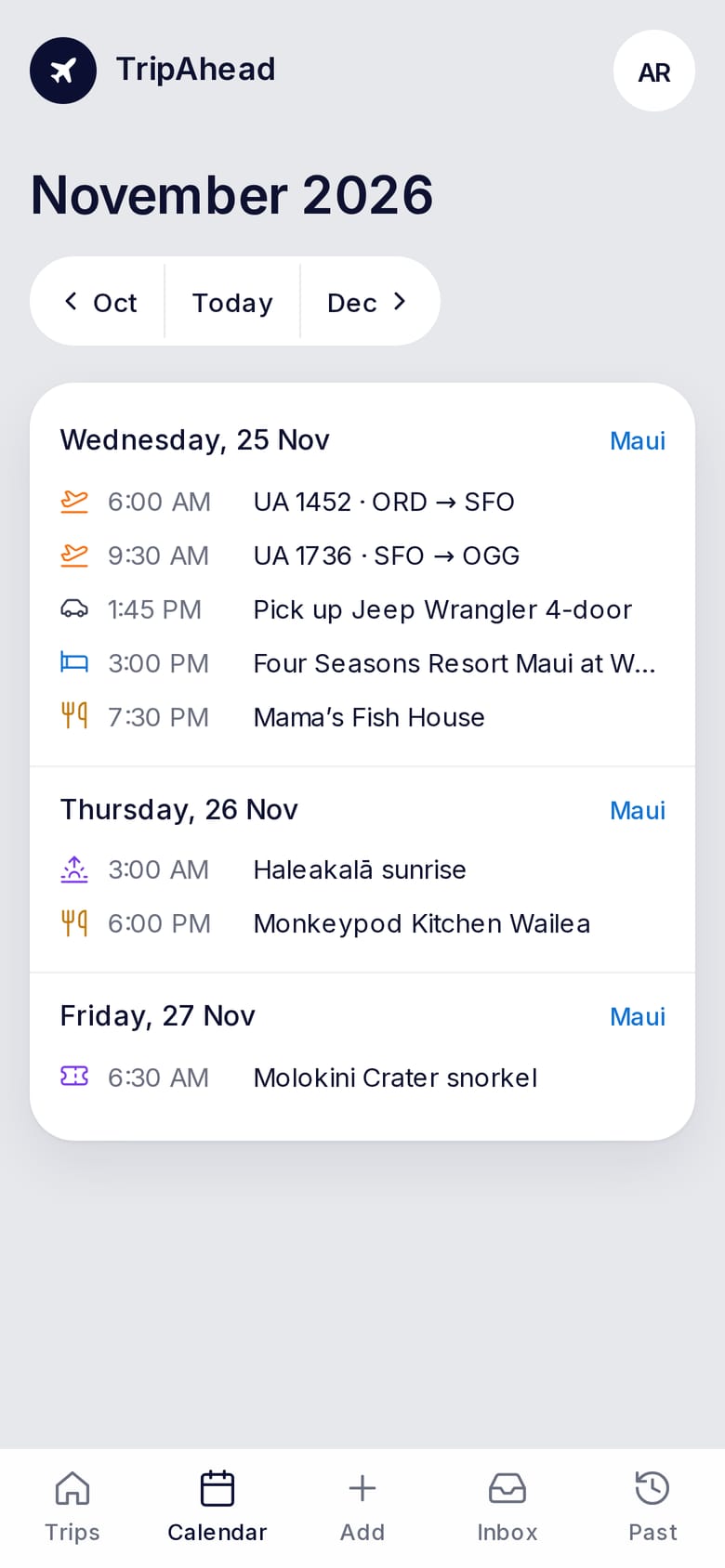
Each day, in order, in local time.
Flights, check-ins, car pick-ups, dinners and tours line up by day, in the time zone you’ll be in. Open days are easy to spot, and so is an evening with no reservation.
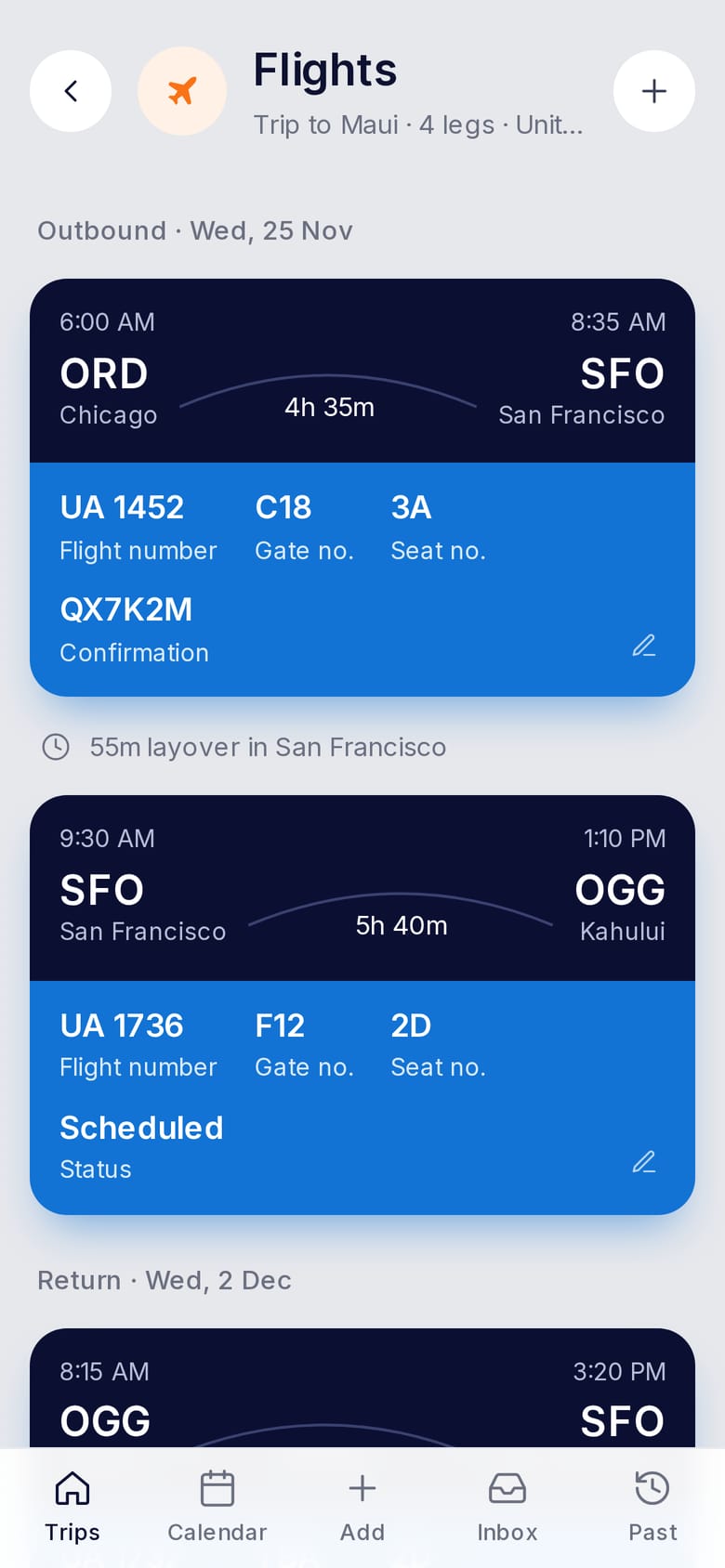
Everything for the airport, on one screen.
No more searching your inbox at check-in. Each flight looks like a boarding pass, and a connection shows how long you have to make the next flight. Seat, gate and confirmation number are right there when you need them.
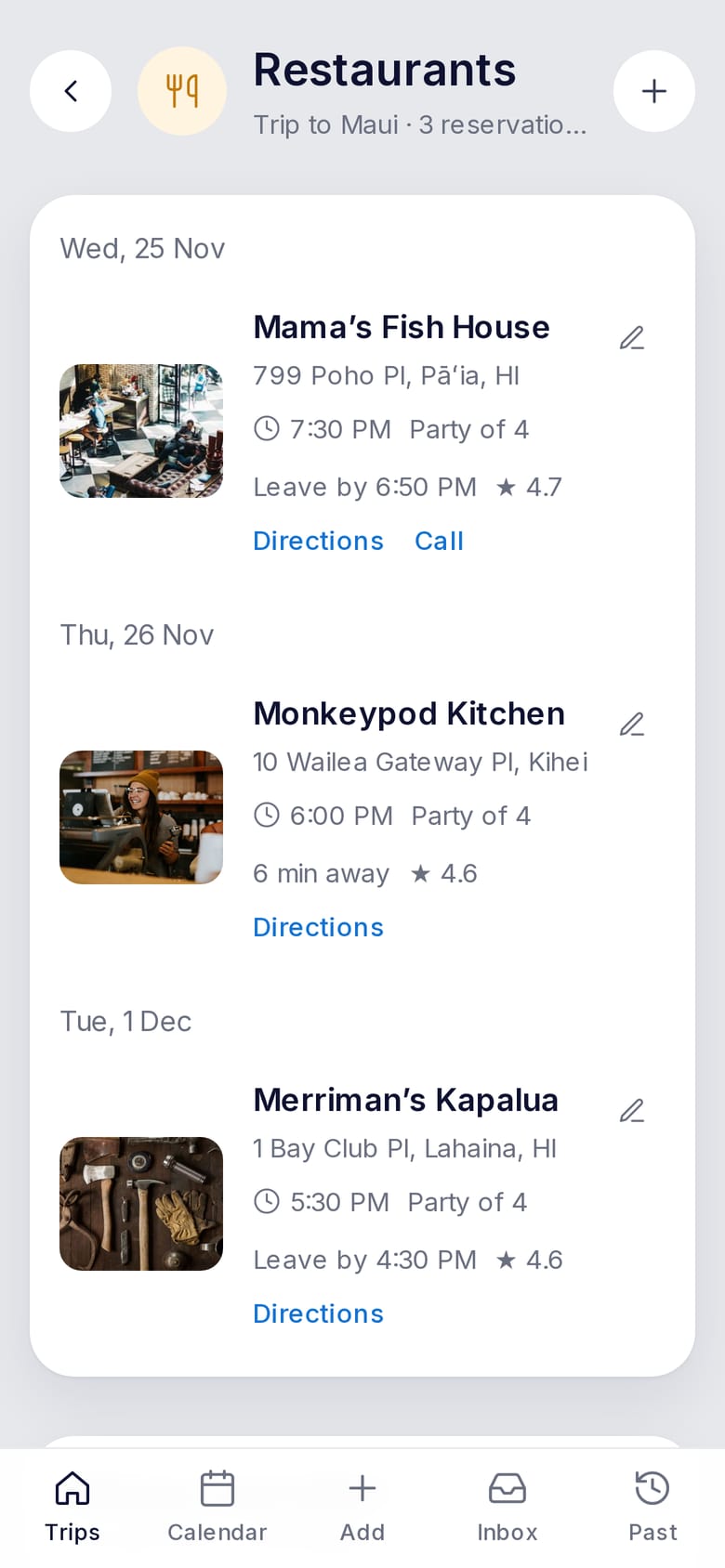
Know when to leave for dinner.
Reservations get photos, ratings and the drive time from where you’re staying, so you know when to head out.
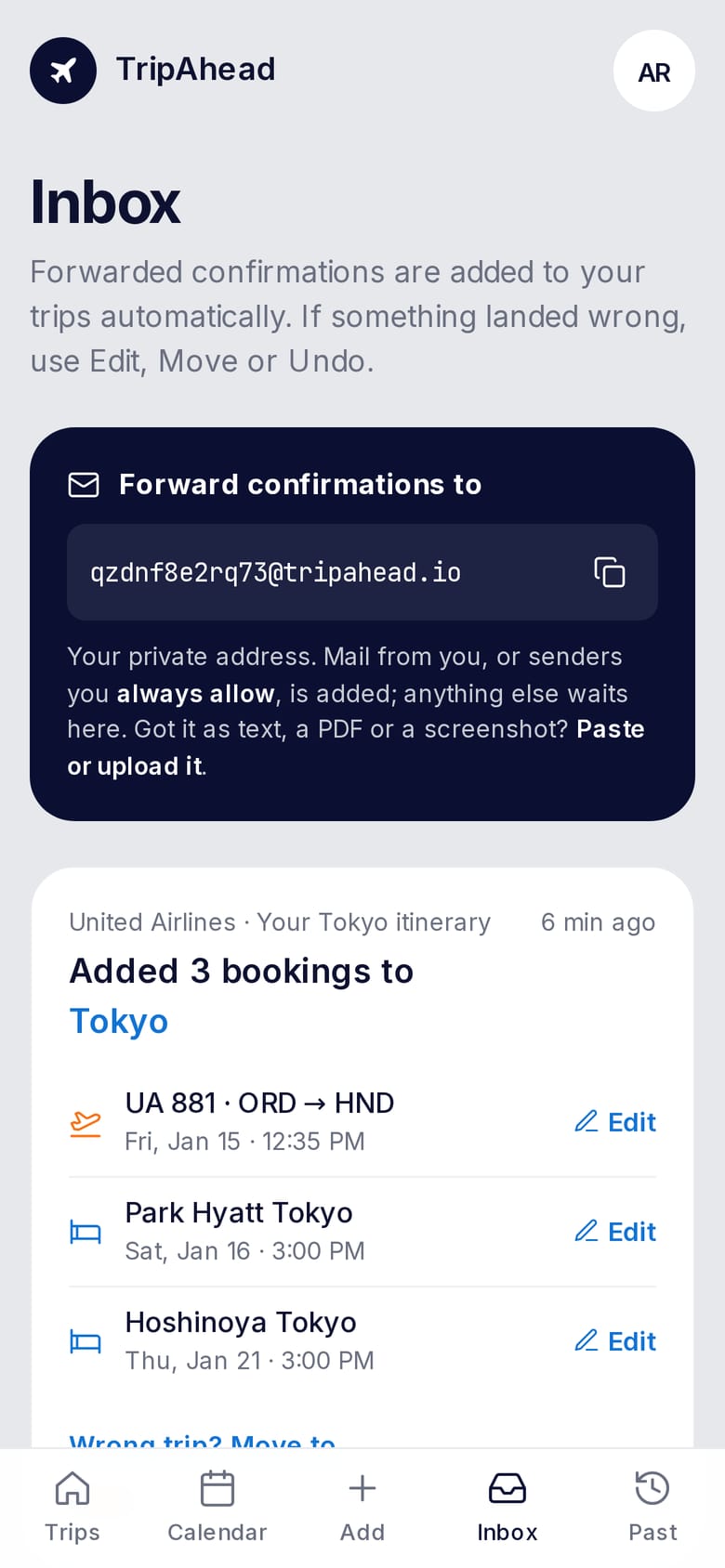
See each booking as it comes in.
Every confirmation you forward shows up here with what was booked and which trip it joined, so you know it’s taken care of. Anything sent by someone else waits here until you say OK.
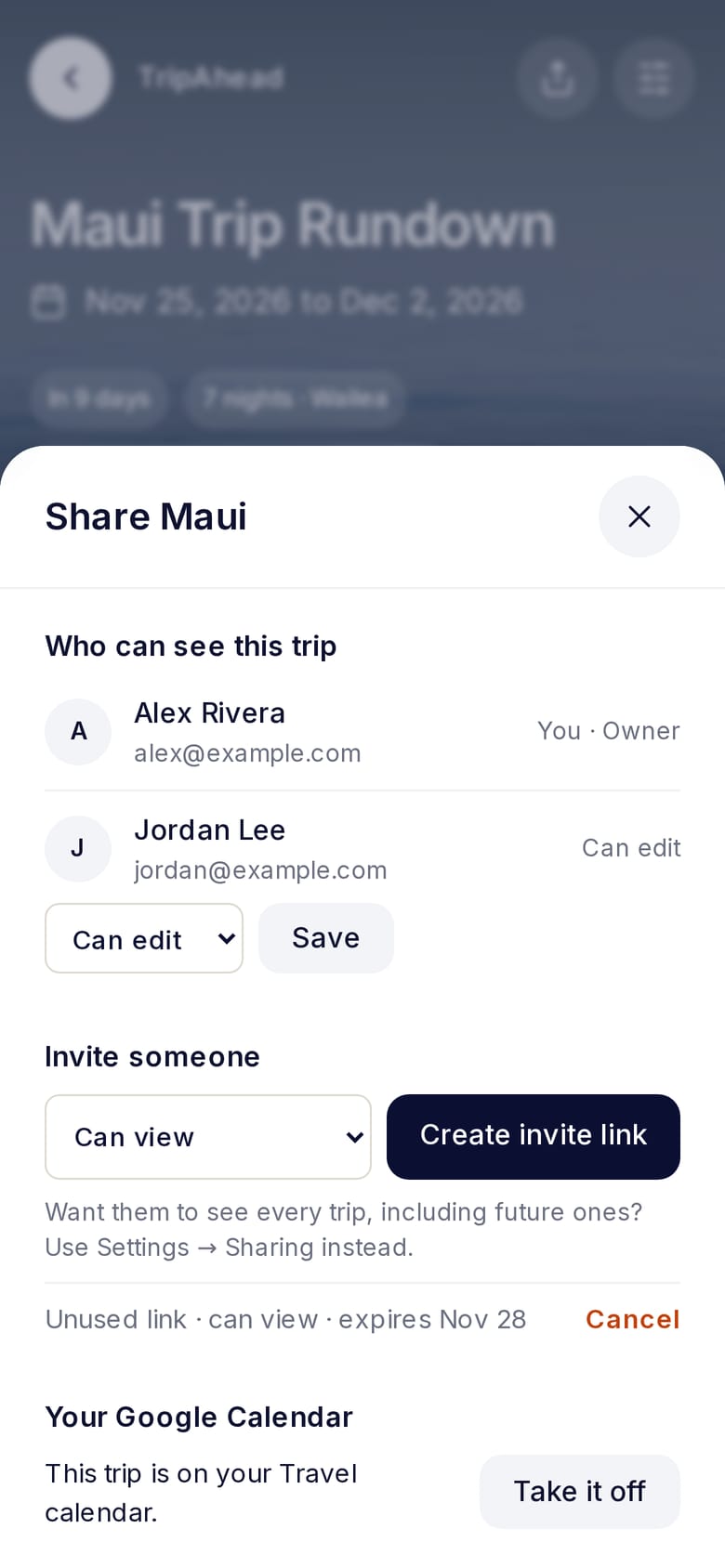
Share one trip, or all of them.
Share specific trips with whoever is coming. Add them as viewers or collaborators. For a partner, share everything, including trips you add later.
Your trips, on your calendar.
TripAhead keeps a separate “Travel” calendar in your Google Calendar. Move an event there and the trip updates here.
Your plans stay yours.
No ads, no selling data, no reading your whole inbox. You forward only what you want in TripAhead.
- Your private forwarding address can’t be guessed, and you can change it any time
- Only emails you forward, or from addresses you’ve approved, are added automatically
- Calendar access is limited to the one calendar TripAhead makes
- Delete your account and everything goes with it
Questions
What does it cost?
Free for up to 2 upcoming trips, with unlimited forwarding. TripAhead Plus is $5 a month or $55 a year for unlimited trips and calendar sync. You’re never charged unless you choose to upgrade.
Which emails work?
Airline, hotel, car rental, restaurant and event confirmations from most companies, plus booking sites like Expedia, Booking.com, OpenTable and Resy. PDFs and screenshots work too.
Do I need Gmail or Google?
No. Sign in with Google or with just your email address, and forward from any address. Your trips can go on Google Calendar, or on Apple Calendar, Outlook and others with a private subscribe link.
Who can see my trips?
Only you, and the people you invite. You choose per trip, or for all your trips, and whether they can view or edit.
What if it gets something wrong?
Every booking can be edited, and anything added from an email can be moved to another trip or undone. Nothing is required, so a shuttle with no time just waits under “Not scheduled yet”.

Where to next?
Forward one confirmation and watch the trip build itself.